



Microchip Technology Prototyping with Mikroe Click Boards™

Microchip Technology MPLAB® Xpress Evaluation Board and Curiosity Boards feature mikroBUS™ sockets that are designed specifically for Mikroe Click Boards™. The click boards can be used to expand the capabilities of the prototype quickly, adding functionality to the application without having to write code or design the circuit. Microchip Technology MPLAB Code Configurator (MCC) automatically generates an example code for the supported click board. With Mikroe click boards, the prototype is almost complete before even getting started.
MPLAB Code Configurator

MPLAB Code Configurator (MCC) is a free graphical programming environment that generates seamless, easy-to-understand C code to be inserted into the project. Using an intuitive interface, it enables and configures a rich set of peripherals and functions specific to the engineer's application.
MPLAB Code Configurator supports 8-bit, 16-bit, and 32-bit PIC® microcontrollers. MCC is incorporated into both the downloadable MPLAB X Integrated Development Environment (IDE) and the cloud-based MPLAB Xpress IDE. MCC includes quick-start software libraries for the Mikroe click boards, enabling users to easily incorporate sensing, control, or communication functionality into the prototype design without the stress and hassle of low-level code development and validation.
MPLAB Code Configurator Features
- Free graphical programming environment
- Intuitive interface for quick start development
- Automated configuration of peripherals and functions
- Minimized reliance upon product datasheet
- Reduces overall design effort and time
- From novice to expert
- Accelerates generation of production-ready code
Get MPLAB Code Configurator
It's easy to add MPLAB Code Configurator to the development environment. Just choose one of the following options:
- Use MPLAB Xpress cloud-based IDE
MPLAB Xpress is the easiest way to get started using MCC. It’s browser-based, so all that is needed to do is visit microchip.com/Xpress to get started. - Install the MPLAB X IDE plugin
If the free, downloadable MPLAB X IDE is installed, then select MCC from the software’s extensive plugin library. If the MPLAB X IDE isn't on the machine, visit microchip.com/mplab/mplab-x-ide. - Manually install the MPLAB X IDE plugin
To manually install the plugin, or to use a previous version of MCC, visit microchip.com/mplab/mplab-code-configurator and use the "Current Download" or "Archive Download" tabs at the bottom of the page.
mikroBUS Pinout

Videos
Featured Boards
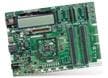
Microchip Technology Explorer 16/32 Development Board
A modular development system for Microchip's 16-bit and 32-bit microcontrollers.

Microchip Technology PIC32MZ EF 2.0 Development Board (DM320209)
Helps to develop BLUETOOTH® audio, CAN, graphics/user interfaces, IoT, and robotics.

Microchip Technology PIC18F47Q10 Curiosity Nano Kit (DM182029)
Tiny development board for the PIC18F47Q10 MCU, with full program and debug capabilities.
Learn More
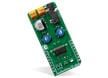
Mikroe Click Boards™
Add functionality to mikroBUS™ development boards with zero hardware configuration.